|
||
|
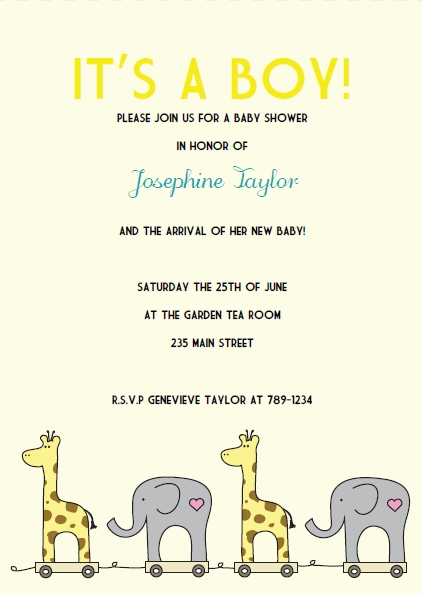
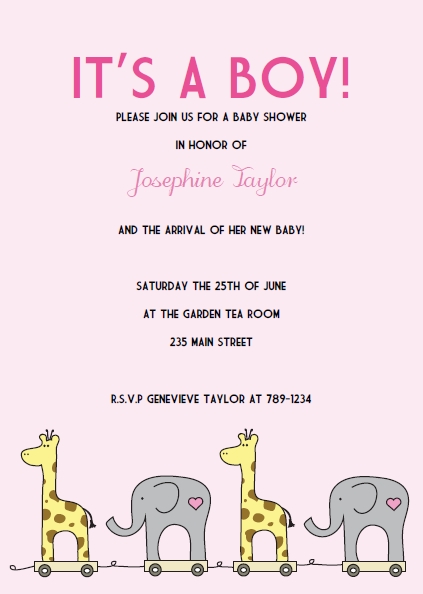
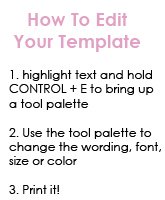
Printable Elephant and Giraffe Baby Shower InvitationsPrint your own Elephant and Giraffe baby shower invitations. These invitations are sweet and easy to make! Just download our invitations template and change the wording, font, size, and color to suit your baby shower theme and style.
These are so easy to make. All you do is print them out onto regular card stock, trim the edges, ad cut it in half to create two invitations per single piece of card stock. You can even go all out and back your invitations with some fancy card stock and add some ribbon, bows, or charms.
All files are available for instant download
for a quick and easy solution to your invitation needs.

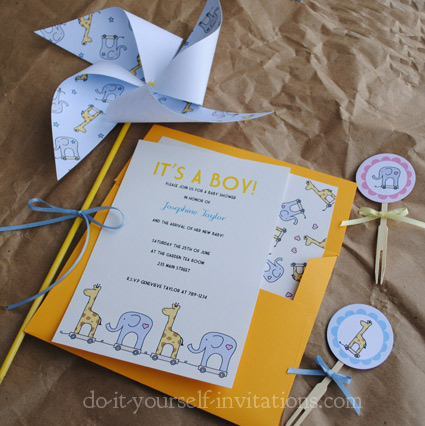
Printable Baby Shower Invitation Kit:Includes 5x7 invitation, envelope liner, cupcake topper, pinwheel, and bunting flags

 
For more help, questions, or FAQ's about our invitation templates please visit our help sections!
|
The DIYI Ezine
Stay up to date with the newest tutorials, free printables and giveaways!
Want to be the first to know about new designs added to our printable invitations collections, special sales, or exclusive coupons?
SUBSCRIBE to our newsletter!
|
|



Order Invitation Maps
|
||
|
| Homepage | Shop | Wedding Invitations | Birthday Invitations | Baby Shower Invitations | Printable Invitations | Bridal Shower | Blog | Contact | Advertising Policy | Privacy Policy
 By Chris Fleckenstein, Copyright © 2006-2013 Do-it-yourself-invitations.com |
||