|
Printable Wedding Invitations Template:
Contemporary Leaf Wedding Invitations
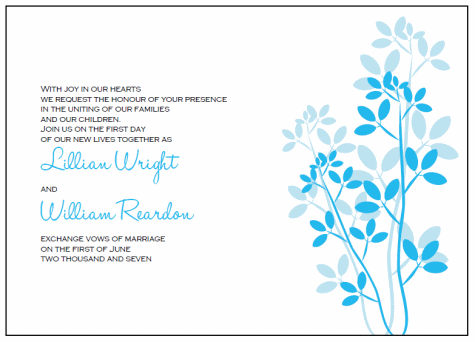
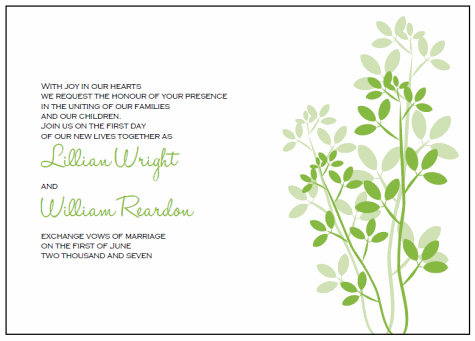
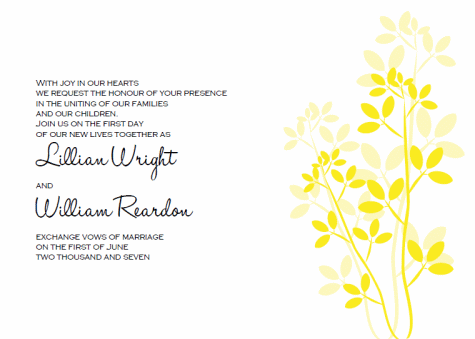
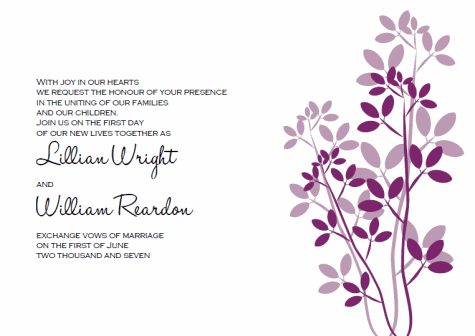
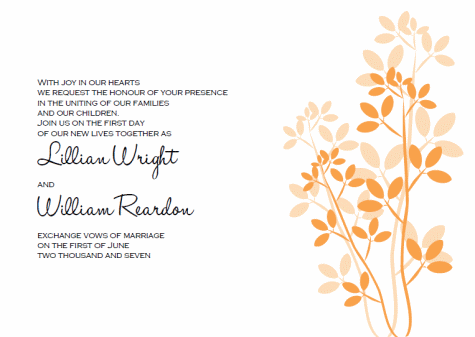
Our Contemporary Leaves printable wedding invitations kit is available in several differnet colors. This template is super versatile and can be paired with many wedidng themes and seasons.
About Our Printable Invitations
A PDF reader is required in order to view or print your invitations. I recommend visting Adobe.com and downloading the latest free version of Adobe Reader to view your files.
To use this printable wedding invitations template simply print the file onto a paper of your choice on the highest quality printer setting on your computer. After printing you can trim them yourself or even bring them to your local copy shop and have them cut for you. Use our handy guidelines to trim the invites to 5" by 7".
Contemporary Leaves Invitations - These printable wedding invitation templates can be dressed up or down for an elegant classic wedidng down to a chic casual wedding. They can go from whimsical to classic depending on the fonts you choose, and how far you go in embellishing them.
For a chic casual wedding - Print onto heavy cardstock, trim your stationery pieces to size, and use them as is. Add a bit of rich texture by creating coortdinating envelope liners using decorative paper, or add some colored ribbon and natural raffia.
To Create A More Elegant Invitation - Select a matching or coordinating cardstock and use it as a backing. Cut the cardstock just a tad larger than your invites, and mount the invite onto the cardstock. Tie a silk ribbon or use a belly band to hold everything together. Beautiful!
Suggested Themes and Seasons
Blue Leaves Invitations - Pair with orange cardstock, ribbon, or belly band for a fall wedding invitation. Pair with yellow or green for a whimsical and colorful summertime wedding invitation.
Orange Leaves - Perfect to pair with deeper orangem burgundy, blue, or use "as-is" for a fall or autumn wedding suite.
Green Leaves - Green goes with most any color for a beautiful spring or summer invitation suite. Pair with solid colored or decorative floral papers.
Burgundy Leaves - I love this template as a winery wedding inivte. Pair with deep burgundy, brown, or black for a great wine tasting or winery wedding event.
Yellow Leaves - The perfect compliment to a sunny day summertime wedding! Pair with sky blue or yellow decorative accents.
For more help, questions, or FAQ's about our invitation templates please visit our help sections!
|